
Description
Description
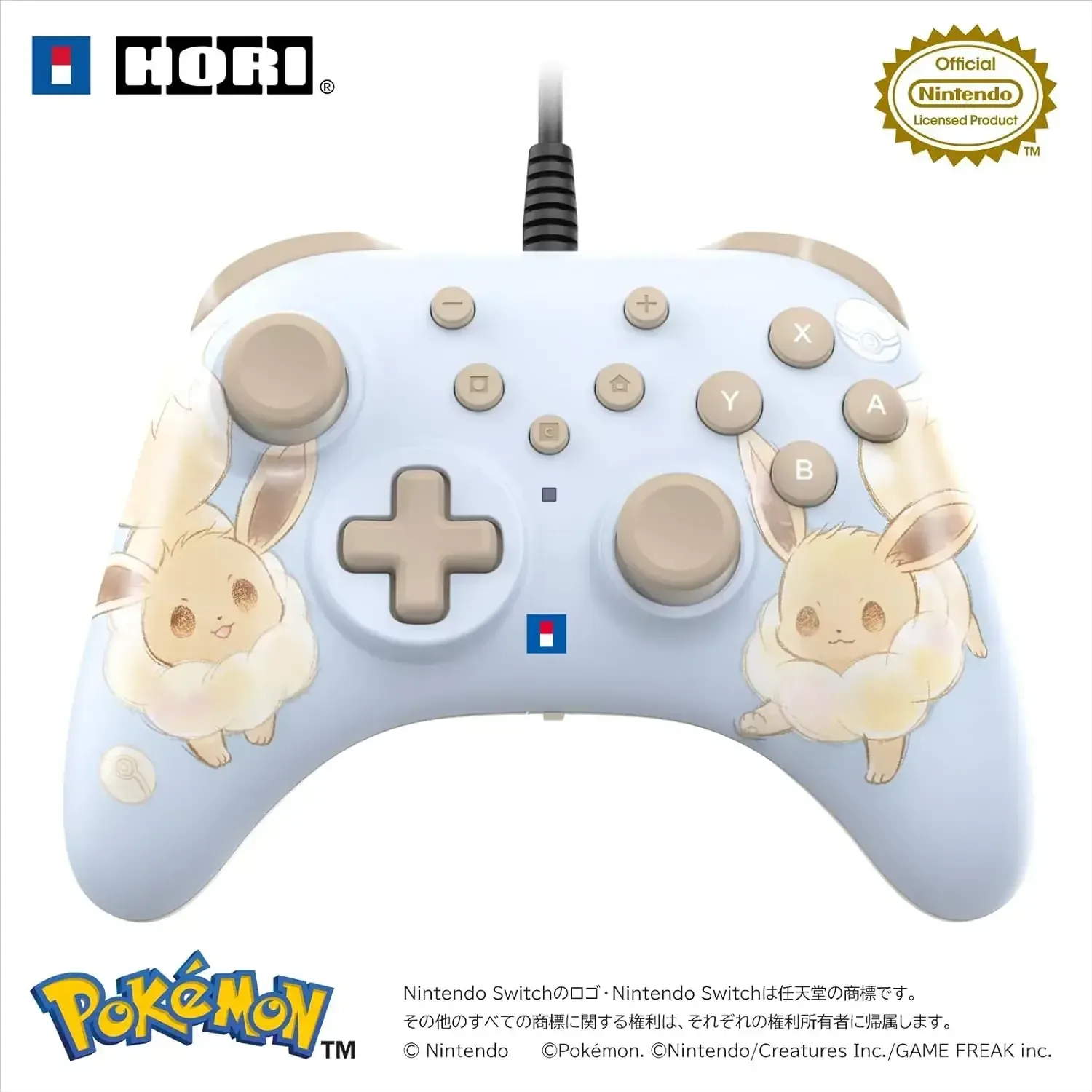
Experience the Hori Horipad Turbo Game Controller for Nintendo Switch 2, an officially licensed wired peripheral crafted for ergonomic comfort and reliable operation. Its Eevee-themed soft-touch exterior and vibrant hues provide a distinctive aesthetic that feels excellent in your grip.
Engineered for Nintendo Switch 2 and also compatible with Nintendo Switch, Nintendo Switch OLED model, and PC, this Hori controller integrates valuable gaming features to simplify rapid gameplay. Functions such as turbo firing, customizable button assignment, a dedicated rear button, and adjustable stick dead zones allow you to personalize the controller to match your unique play preferences.
Details
• Product Material: Plastic
• Manufacturer: Hori
• Made in: China
Features
Officially licensed by Nintendo, ensuring seamless compatibility with Nintendo products
Eevee-inspired aesthetic featuring a soft-touch texture and vibrant hues
Includes a C button for Nintendo Switch 2 in-game chat support
Customizable rear button for advanced gameplay functions
Turbo and auto-fire hold capabilities offering 3 distinct speed settings: 5, 10, and 20 presses per second
Button assignment feature enables remapping controls to match your gaming style
Robust sticks and buttons engineered for extended durability
Three-level adjustable left and right stick dead zones for personalized sensitivity
Extensive compatibility with Nintendo Switch 2, Nintendo Switch, Nintendo Switch OLED model, and Windows 10/11 PCs
Appropriate for all age groups
Wired USB Type-A connectivity via a 3-meter cable
How to use
Connect this Hori controller to a compatible Nintendo Switch 2, Nintendo Switch, Nintendo Switch OLED model, or Windows 10/11 PC utilizing the provided USB Type-A cable. For Nintendo Switch 2 operation, ensure the system is updated to its most recent version prior to use. You have the ability to assign buttons, activate turbo functions, and modify stick dead zones to align with your favored control method. Please note, this controller operates wired only and does not offer motion, vibration, NFC, or amiibo functionalities.
Care instructions
Prior to cleaning, disconnect the peripheral. Gently wipe its exterior with a soft, dry, or slightly moistened cloth, steering clear of abrasive materials, harsh cleaners, and solvents. Keep the device in a cool, dry environment, protected from moisture, dust, and direct sun exposure; refrain from sharply pulling or twisting the cable. Shield it from extreme temperatures and avoid applying undue pressure to the sticks and buttons.